
July 2026 Wrap Up
Joining the church of Emacs, starting a new learning challenge, ABX! progress
I think July was one of the most productive months I’ve had in a while, because I feel like I’m finally getting some much-needed focus, and doing some yak shaving has actually been so helpful with that. The first thing I spent some time on that wasn’t explicitly programming was visiting the Church of Emacs.
The Church of Emacs
 I have visited the Church of Emacs, and now I’m a convert. I feel like I’ve betrayed my Vim roots, but my time in Emacs has been so good and so useful that I’m staying. Prior to this experience, my only exposure to Emacs was the joke “you achieved greatness but at the cost of your pinkies” and just seeing the base home screen (which is very intimidating). But then, one fateful evening, I heard about the denomination of Doom Emacs from its modern prophet, bashbunni.
Doom Emacs
For those who don’t know, because I sure didn’t, there are distributions of Emacs, kind of in the same way that in Neovim there are different starter configs such as LazyVim and kickstart.vim. These distributions do much of the heavy lifting in getting a working, pleasant experience out of the box, instead of staring at the default Emacs home screen knowing that this is powerful software but having no clue where to start. What Doom Emacs does is take a bunch of highly useful packages for Emacs and put them together in a box with a nice bow on it, so the user experience is very pleasant and more user-friendly (note I said more user-friendly, not completely user-friendly—I’ll get to that). It does all this while still being highly extensible and optimized. The creator, Henrik Lissner, has put a lot of work into making this project both fully built out and optimized. One example: my load time into the session I’m in right now took 1.008 seconds, loading 205 packages across 54 modules. It’s incredibly quick and snappy. Even jumping between buffers, opening new files, browsing files, and switching between workspaces and projects is so snappy and fast that it just feels right to work with. I know I’m just barely scratching the surface with Emacs and even Doom Emacs, but I have never felt this efficient at my workstation before. Now, what makes Doom great…
Evil
Evil is a package that brings Vim motions and keybindings into Emacs for the protection of your pinky fingers. That’s not the full reason why, but that’s my head-canon. Here’s the official description from the EmacsWiki:
Evil is an extensible vi layer for Emacs. It provides Vim features like Visual selection and text objects, and is the successor to the now-obsolete Vimpulse and vim-mode.
So all those sweet, sweet Vim motions I’ve been learning and discovering aren’t a waste but an addition, because I don’t only have to be editing code or text to use those motions—I can use them throughout the entirety of Emacs, since one of the powerful things about Emacs is that everything within a buffer is text and can therefore be edited. Which means anywhere text can be edited, Vim motions can be applied.
Org Mode
This is a common thing you’ll hear people mention when they’re trying to show the usefulness of Emacs. Some common uses of org-mode are: task management, dynamic agenda, note-taking, document publishing, time tracking, and personal knowledge management. Like everything in Emacs, it’s quite extensible and dynamic. Here’s what I mostly use it for:
Writing Blog Posts
I’m writing this current blog post within an org document because someone created a plugin called ox-hugo, which is an org exporter backend that exports to Markdown and also generates the frontmatter for the Astro blog. It was made to export to Hugo blogs, but like everything with Emacs, I was able to build it out in a way that allows me to use it for Astro. I also built a custom function using Elisp (which deserves its own blog post, so I’ll barely touch on it here) that builds all the frontmatter for me—all I have to do is fill in the fields. The second part is my keybinding for the function, so that anytime I’m within org-mode, if I hit that keybinding (SPC m C h), it runs the function.
(defun mbw_org-insert-blog-entry ()
  (interactive)
  (let* ((title (read-string "Title: "))
         (section (completing-read "Section: " '("abx" "personal") nil t))
         (description (read-string "Description: "))
         (slug (replace-regexp-in-string
                "[^a-z0-9]+" "_"
                (downcase title)))
         (slug (replace-regexp-in-string "_+$" "" slug))
         (date (format-time-string "%Y-%m-%d")))
    (insert (format "* %s\n:PROPERTIES:\n:EXPORT_FILE_NAME: %s\n:EXPORT_HUGO_SECTION: %s\n:EXPORT_DESCRIPTION: %s\n:EXPORT_HUGO_CUSTOM_FRONT_MATTER: :pubDate %s\n:END:\n\n"
                    title slug section description date))))

(map! :map org-mode-map
      :localleader
      "C h" #'mbw_org-insert-blog-entry)
And here’s the example for this current blog post:
    :PROPERTIES:
    :EXPORT_FILE_NAME: july_2026_wrap_up
    :EXPORT_HUGO_SECTION: personal
    :EXPORT_DESCRIPTION: Joining the church of Emacs, starting a new learning challenge, ABX! progress
    :EXPORT_HUGO_CUSTOM_FRONT_MATTER: :pubDate 2026-08-01
    :END:
It’s incredibly useful for formatting. I just use it for Markdown, but I know you can use it to write HTML, LaTeX, ASCII, etc. I’ve seen people use it for everything from scientific papers to novels, all in org-mode.
ToDo / Notetaking
To keep track of what I’m working on and my notes for the project, I’m using org-mode as a to-do list and note-taker. Here are some of the current to-dos for ABX:
DONE [#A] Guard =bacteria_spawn= returning -1 before storing in =wave.enemy_indices= (wave_init)
TODO [#A] Wire Holding -> Diving trigger + idle behavior
TODO [#B] Create diver_selection_rules in wave_params instead of just the current hardcoded .First_Found
You’re able to prioritize what tasks you want done in the list, then mark them as done, which greys them out when you finish the task. I know you can also link these to-dos to an org calendar so that all your tasks are in one spot and you can have a calendar view. Since I don’t really have any timelines, I don’t use that feature, but if I were a full-time developer, I definitely would. As for my notes, I keep it pretty simple—just write the date and use ’-’ to make lists. I know I could set it up like Obsidian does, with a mind map of everything, but that was a step too far for what I was looking for right now. Maybe one day I’ll get there.
Timesheet
This ties into my learning challenge, which I’ll cover later—org-mode can also be used as a timeclock or timesheet. So if you’re someone who needs to track hours for billing purposes, you can do that in org-mode. I have it set up to track the time I’m spending learning something.
#+BEGIN: clocktable :scope file :maxlevel 2
#+CAPTION: Clock summary at [2026-08-01 Sat 21:06]
| Headline            | Time    |      |
|---------------------+---------+------|
| *Total time*        | *17:05* |      |
|---------------------+---------+------|
| GOAL: 6500 Hours    | 17:05   |      |
| \_  Book Study      |         | 2:48 |
| \_  Emacs           |         | 6:21 |
| \_  ABX Development |         | 7:56 |
#+END:
Here’s my current breakdown of how I’ve spent the last month. I’m sure this could be broken down even further into subcategories—which I have—but I haven’t taken the time to show that yet.
There’s MORE
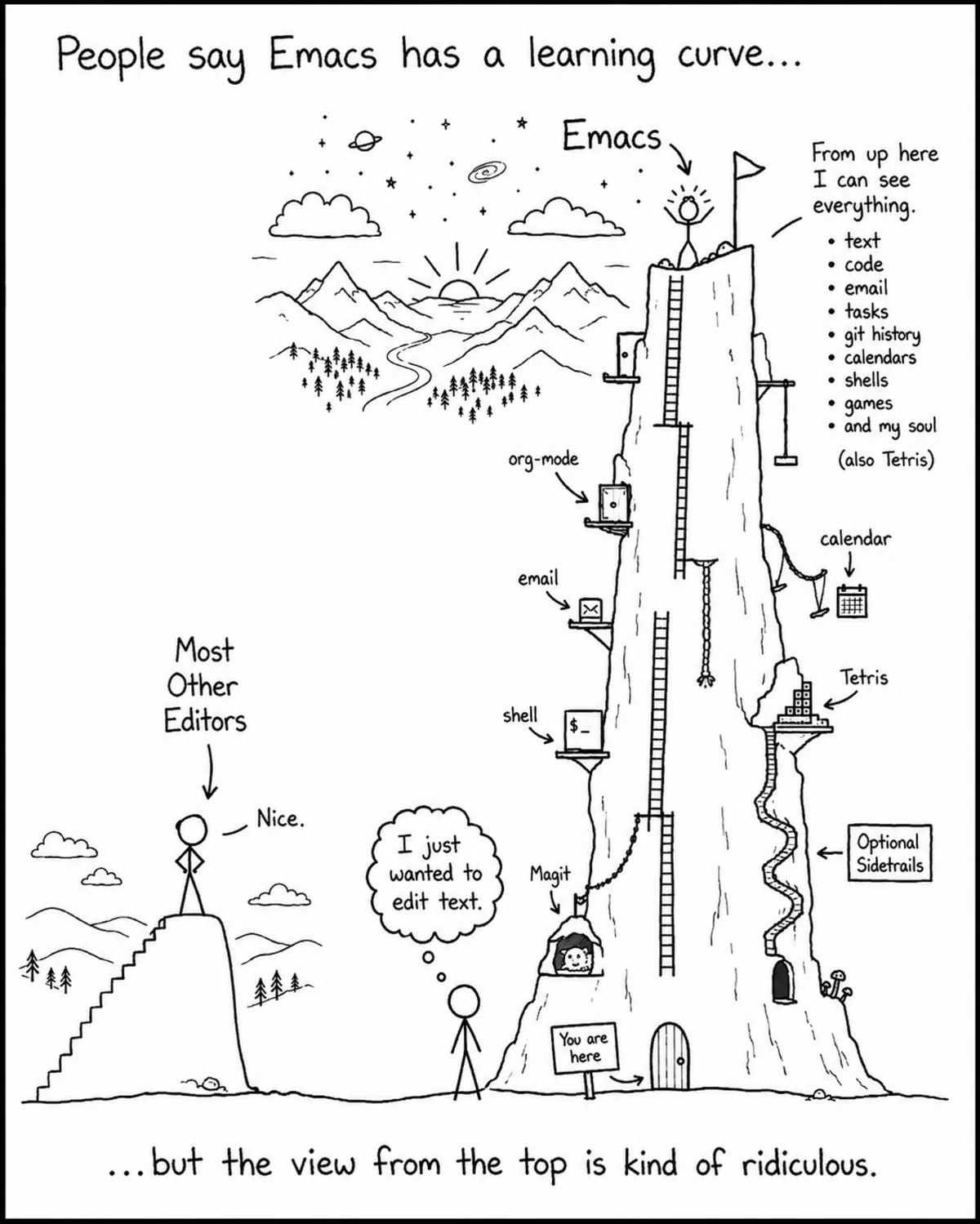
But I’m not going to go into it all. I hope you’re starting to see the power of Emacs. Here’s the thing: I’ve barely scratched the surface of it. There’s Dired, Magit, LSP modes, email, Tetris, etc. The Emacs mountain is very large…
Quick Cons of Emacs
It’s still a lot to swallow, and I’m so grateful that the Doom Emacs Discord is very helpful, because I was definitely overwhelmed when I first started. However, they encouraged me to just learn a little at a time—build that into your workflow, then add something else once that’s solidified—which was great advice.
Learning Challenge
Okay, that’s enough about Emacs. I’ve decided to start a learning challenge inspired by this video by EscPoint. The TLDW is to gamify your learning by comparing it to the time it takes to become a pro at a video game. He used Rocket League as his example, but since I’ve never played it, I was going to use Dota 2, since that’s the game I have the most hours in. However, when I went looking for the time it takes to reach Immortal, I never found a concise answer. So I looked at League of Legends instead, and there I found a clearer answer: the time to reach Master in League is roughly 6,500 hours, so that’s my goal. If you’re a Master in League, that means you’re in the top 0.5-0.8% of players, so if I spend 6,500 hours learning programming, I might land in that same percentile of programmers—which means I’d be a damn good programmer.
The trick is to use as little AI as possible, because what I’ve found is that AI gives you the feeling of learning without actually teaching you much. So how am I learning? Reading the docs, looking at other examples of what I’m working on, asking for help on Discord, reading programming books (currently reading The Pragmatic Programmer), and if I have to use AI, setting it to use the Socratic method so it asks me questions instead of giving me the answer (thanks, Boot.dev, for that idea). So at the beginning of every blog post, I’m going to share where I’m at in my journey!
ABX! Development
So, as you can see above, I was able to put in ~8 hours of development time into ABX, which doesn’t feel like a lot, but it was some of the most productive time I’ve had. I would have gotten more done, but the switch to Emacs and wiring in OLS took some time to get working. There were times I’d sit down to work, but Emacs wouldn’t play nice with Odin, so it ate up all the programming time I had. Most of the 8 hours came toward the end of the month, which is why it felt so productive—once I was able to actually work on it, I got a lot done.
Setting the Frame
Much of the time spent on the game was setting the frame. What I mean is: when you build a house, you build the frame first, then put in the plumbing and electric, and then you can put up the walls (way too simplistic, I know, but it works for the example). Before you get anything visual, you need to build the support for the visual aspects. That’s what I did most of this month—building out the spawning regions, the spawning math, entry paths, and wave logic. Next is to build out more of the procedural aspect of the game once I finish fixing some bugs.
Devlog
I also have a devlog for the game where I’ll be talking about the process of making it and all the aspects of game development—including programming, art, and business—so check it out here.
To Wrap Up the Wrap Up
Wow, I feel like I wrote a lot for this one! This is the most excited I’ve been in a while about learning and development. I think that’s partly because of my new dev environment in Emacs and just fully committing to it. I also think it’s because I now have a number I get to follow and track to see where I am in the journey. And lastly, because I finally have a plan and an endgame with my game—I know where I want to go, now I just have to get there. So until next time: Journey Before Destination, Radiant!!